
How PHP Password Hashing Works: bcrypt, password_hash, and Security Best Practices
If you’re storing user passwords in your PHP application, how you hash them is the difference between a minor data breach and a catastrophic one. A database leak is not a matter of “if” but “when” — and when it happens, the only thing standing between an attacker and your users’ accounts is the hashing algorithm you chose.
In this tutorial, you’ll learn how PHP password hashing works, why bcrypt is the current standard, what makes password_hash() and password_verify() the right tools, and how to implement them correctly. Full working code included.
Why Not MD5 or SHA1?
Let’s get this out of the way first. MD5 and SHA1 are not password hashing algorithms. They’re general-purpose hash functions designed for speed — checksums, file verification, data integrity. Speed is the exact opposite of what you want for passwords.
A modern GPU cluster (8x RTX 4090) can compute roughly 100 billion MD5 hashes per second. That means a 6-character lowercase password has about 300 million combinations. An attacker cracks it in under a millisecond.
Even a 10-character mixed password with 60 bits of entropy falls in hours against MD5. Compare that to bcrypt, which is intentionally slow — the same GPU cluster might manage 50,000 bcrypt hashes per second. That 10-character password now takes years instead of hours.
You can see this difference yourself using the free password generator and crack time calculator — it shows estimated crack times for both weak hashes (MD5/SHA1) and strong hashes (bcrypt/Argon2) side by side.
How password_hash() Works
PHP makes secure password hashing simple with two functions: password_hash() and password_verify().
// Hashing a password (during registration)
$rawPassword = 'correct-horse-battery-staple';
$hashedPassword = password_hash($rawPassword, PASSWORD_DEFAULT);

// Result looks like: $2y$10$N9qo8uLOickgx2ZMRZoMye...
echo $hashedPassword;
What Happens Internally
When you call password_hash(), PHP does three things:
1. Generates a random salt. A salt is a random string mixed into the password before hashing. This means two users with the same password get completely different hashes. Without salts, attackers can use precomputed “rainbow tables” to crack thousands of passwords at once.
2. Runs bcrypt with a cost factor. Bcrypt applies the Blowfish cipher multiple times based on the cost factor (default is 10, meaning 2^10 = 1,024 iterations). This deliberate slowness is the whole point — it makes brute-force attacks impractical.
3. Combines everything into one string. The output contains the algorithm identifier ($2y$), the cost factor (10), the salt, and the hash — all in one string. You store this single string in your database. No need to manage salts separately.
How password_verify() Works
// Verifying a password (during login)
$rawPassword = 'correct-horse-battery-staple'; // What the user typed
$storedHash = '$2y$10$N9qo8uLOi...'; // What's in your database

if (password_verify($rawPassword, $storedHash)) {
echo 'Password is correct';
} else {
echo 'Invalid password';
}
password_verify() extracts the salt and cost factor from the stored hash, re-hashes the input password with those same parameters, and compares the results. It uses timing-safe comparison internally, which prevents timing attacks where an attacker measures response time to guess characters.
Never compare hashes with === or ==. Always use password_verify().
Complete Registration Example
<?php
declare(strict_types=1);
session_start();

require 'config.php'; // Your PDO connection

$errors = [];

if ($_SERVER['REQUEST_METHOD'] === 'POST') {

$userName = trim($_POST['user_name'] ?? '');
$userEmail = trim(strtolower($_POST['user_email'] ?? ''));
$rawPassword = $_POST['user_password'] ?? '';
$confirmPassword = $_POST['confirm_password'] ?? '';

// Validate
if ($userName === '') {
$errors[] = 'Name is required.';
}
if (!filter_var($userEmail, FILTER_VALIDATE_EMAIL)) {
$errors[] = 'Valid email is required.';
}
if (mb_strlen($rawPassword) < 8) {
$errors[] = 'Password must be at least 8 characters.';
}
if ($rawPassword !== $confirmPassword) {
$errors[] = 'Passwords do not match.';
}

// Check for existing email
if (empty($errors)) {
$stmt = $pdo->prepare("SELECT user_id FROM users WHERE user_email = :email LIMIT 1");
$stmt->execute([':email' => $userEmail]);
if ($stmt->fetch()) {
$errors[] = 'An account with this email already exists.';
}
}

// Create account
if (empty($errors)) {
$hashedPassword = password_hash($rawPassword, PASSWORD_DEFAULT);

$stmt = $pdo->prepare(
"INSERT INTO users (user_name, user_email, user_password, created_at)
VALUES (:name, :email, :password, NOW())"
);
$stmt->execute([
':name' => $userName,
':email' => $userEmail,
':password' => $hashedPassword,
]);

header('Location: login.php');
exit;
}
}
Key Points in This Code
The password column should be VARCHAR(255). Bcrypt currently outputs 60 characters, but future algorithms may produce longer hashes. 255 gives you room without needing a migration.
We call strtolower() on the email so “[email protected]” and “[email protected]” don’t create separate accounts.
PASSWORD_DEFAULT currently uses bcrypt but will automatically switch to a stronger algorithm when PHP adds one. Your code doesn’t need to change.
Complete Login Example
<?php
declare(strict_types=1);
session_start();

require 'config.php';

$errors = [];
$userEmail = '';

if ($_SERVER['REQUEST_METHOD'] === 'POST') {

$userEmail = trim(strtolower($_POST['user_email'] ?? ''));
$rawPassword = $_POST['user_password'] ?? '';

if ($userEmail === '' || $rawPassword === '') {
$errors[] = 'Email and password are required.';
}

if (empty($errors)) {
$stmt = $pdo->prepare("SELECT * FROM users WHERE user_email = :email LIMIT 1");
$stmt->execute([':email' => $userEmail]);
$user = $stmt->fetch();

if ($user && password_verify($rawPassword, $user['user_password'])) {

// Prevent session fixation
session_regenerate_id(true);

$_SESSION['user_id'] = $user['user_id'];
$_SESSION['user_name'] = $user['user_name'];

// Rehash if needed
if (password_needs_rehash($user['user_password'], PASSWORD_DEFAULT)) {
$newHash = password_hash($rawPassword, PASSWORD_DEFAULT);
$stmt = $pdo->prepare("UPDATE users SET user_password = :pw WHERE user_id = :id");
$stmt->execute([':pw' => $newHash, ':id' => $user['user_id']]);
}

header('Location: dashboard.php');
exit;

} else {
$errors[] = 'Invalid email or password.';
}
}
}
Why session_regenerate_id()?
This prevents session fixation attacks. An attacker could set a known session ID in the victim’s browser before login. After authentication, the attacker hijacks the session using that known ID. Regenerating the session ID on login makes the old one useless.
Why password_needs_rehash()?
password_needs_rehash() checks if the stored hash was created with an older algorithm or lower cost factor. If PHP upgrades the default (say from bcrypt to Argon2id), this function returns true and you silently re-hash the password on the next successful login. Your hashes stay strong without any manual database migration.
Why the Same Error Message?
Whether the email doesn’t exist or the password is wrong, we return “Invalid email or password.” This prevents user enumeration — attackers can’t probe your login form to discover which email addresses have accounts.
Understanding Password Entropy
Entropy measures password randomness in bits. The formula is:
entropy = length × log2(pool_size)Where pool_size is the number of possible characters. For example, a 16-character password using lowercase + uppercase + numbers + symbols (95 possible characters) has:
16 × log2(95) = 16 × 6.57 = 105 bits of entropyAt 105 bits, even 100 billion guesses per second would take longer than the age of the universe. But a 6-character lowercase-only password:
6 × log2(26) = 6 × 4.7 = 28 bitsThat’s crackable in under a second. The password generator tool shows entropy calculations in real time as you adjust settings, so you can see exactly how length and character variety affect strength.
Adjusting the Bcrypt Cost Factor
The default cost factor is 10. You can increase it for stronger hashing at the expense of speed:
// Cost of 12 = 4x slower than 10, but 4x harder to crack
$hash = password_hash($password, PASSWORD_BCRYPT, ['cost' => 12]);
How to Find the Right Cost
$timeTarget = 0.1; // 100 milliseconds
$cost = 8;

do {
$cost++;
$start = microtime(true);
password_hash('test', PASSWORD_BCRYPT, ['cost' => $cost]);
$elapsed = microtime(true) - $start;
} while ($elapsed < $timeTarget);

echo "Recommended cost: {$cost}";
This benchmarks your server and finds the highest cost that stays under 100ms. On a modern VPS, cost 12 is typical. Don’t go below 10.
Argon2: The Newer Option
PHP 7.2+ supports Argon2i and Argon2id, which are memory-hard algorithms. While bcrypt only has a time cost, Argon2 also consumes configurable amounts of memory, making GPU-based attacks much harder.
// Argon2id (recommended over Argon2i)
$hash = password_hash($password, PASSWORD_ARGON2ID, [
'memory_cost' => 65536, // 64 MB
'time_cost' => 4,
'threads' => 3,
]);
Argon2id is considered the current gold standard by security researchers. However, PASSWORD_DEFAULT still uses bcrypt as of PHP 8.x, and bcrypt remains perfectly secure. If you use PASSWORD_DEFAULT with password_needs_rehash(), your app will automatically upgrade when PHP changes the default.
Common Mistakes to Avoid
Truncating passwords. Don’t limit password length to something short like 20 characters. Bcrypt handles up to 72 bytes. Let users create long passphrases.
Hashing before hashing. Don’t run md5() or sha1() before password_hash(). This reduces entropy and can introduce null bytes that truncate the password.
Storing the algorithm separately. The output of password_hash() already contains the algorithm, cost, and salt. Store the single string as-is. Don’t split it into separate columns.
Using a global salt. The salt must be unique per password. password_hash() handles this automatically. Never use a shared “pepper” as a replacement for per-password salts (though a pepper can be used in addition to the automatic salt).
Security Checklist
Here’s the complete checklist for password security in PHP:
- Use password_hash() with PASSWORD_DEFAULT for all new passwords
- Use password_verify() to check passwords, never === or ==
- Use password_needs_rehash() on every successful login to auto-upgrade hashes
- Store hashes in VARCHAR(255) to accommodate future longer hashes
- Regenerate session ID on login with session_regenerate_id(true)
- Use the same error message for wrong email and wrong password
- Enforce minimum 8 characters and recommend 16+ for important accounts
- Never store plain text, MD5, or SHA1 password hashes
- Rate-limit login attempts to prevent brute-force attacks
What to Build Next
If you want to see a full PHP login and registration system with all of these practices implemented — including brute-force lockout, remember-me with token rotation, CSRF protection, and session security — check out How to Build a PHP Login & Registration System From Scratch.
For a working CRUD app that pairs well with authentication, see How to Build a PHP CRUD Application From Scratch.
And if you want production-ready PHP projects with authentication already built in, check out the shop for complete source code packages like BoardHub and MaternaTrack.
Need a strong password right now? Try the free Password Generator →
Keep reading
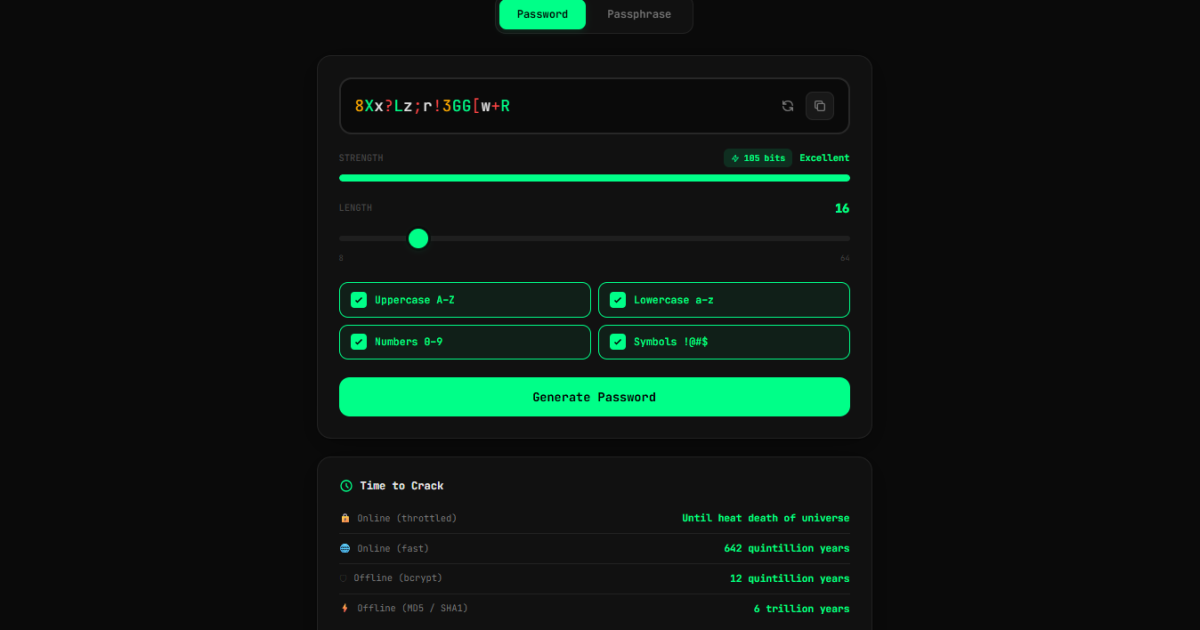
Free Password Generator & Strength Checker
Generate strong passwords and passphrases instantly with this free browser-based tool. See real-time entropy, crack time estimates for GPU attacks, and QR code transfer. No server, no logging, fully client-side.
Read article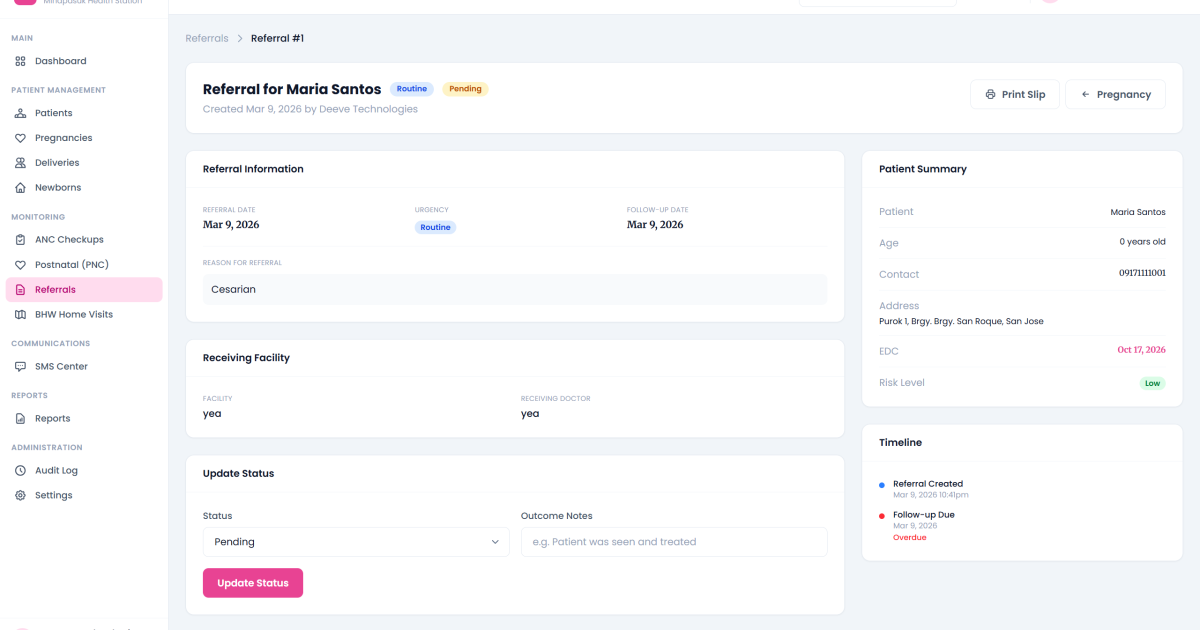
MaternaTrack: Maternal Health Monitoring System in PHP
A complete maternal health monitoring system for Philippine healthcare facilities; automated risk classification, SMS alerts, DOH-aligned reports, prenatal tracking, and multi-tenant support. Built with PHP and MySQL.
Read article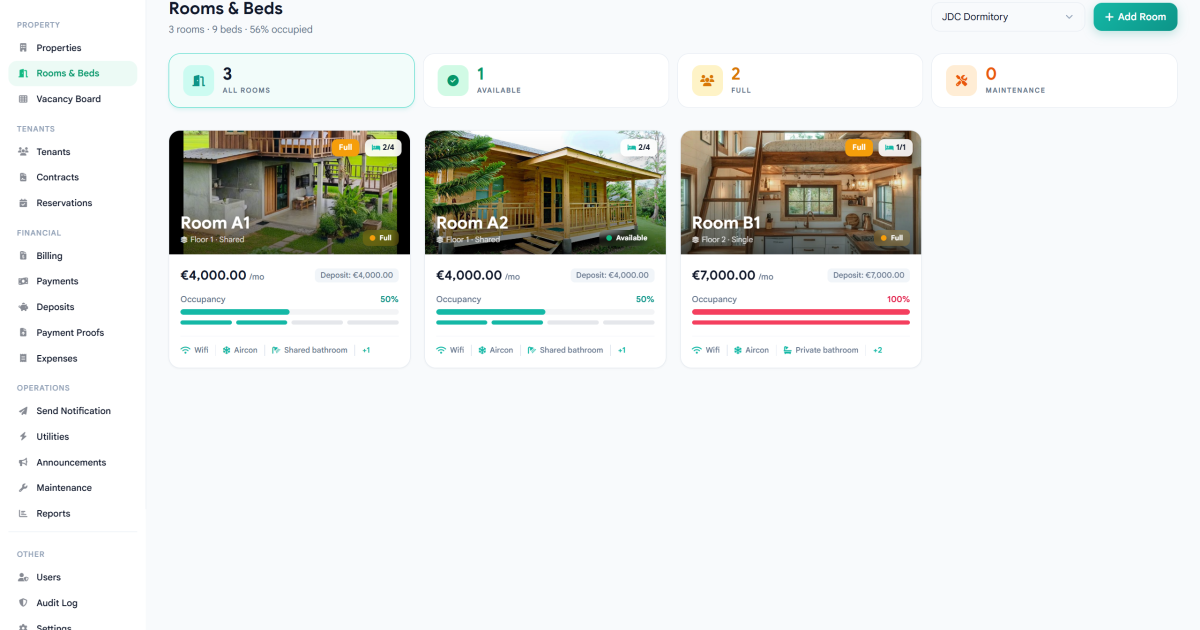
BoardHub: Smart Boarding House Management System in PHP
A complete boarding house management system built with PHP and MySQL; manage tenants, rooms, billing, payments, utilities, maintenance, and contracts from one dashboard. Full source code included.
Read article
Discussion
Leave a reply